This summer, your teen builds apps with AI.
A week-long, hands-on camp where grades 7–12 go from “What is AI?” to shipping real apps — with expert mentors, awesome friends, and zero boring lectures.
Summer 2026
AI is the superpower of their generation.
We help teens go from curious to confident — learning to build apps with AI the way real professionals do, in a fun, safe, hands-on environment.
Think Critically
Understand how AI actually works — not just how to use it.
Build Real Apps
Ship a working app by the end of the week. Not a toy — a real product.
Collaborate & Create
Work in small teams with new friends who share your curiosity.
Present With Confidence
Pitch your app at Demo Day — parents and peers in the audience.
“The students who learn to build apps with AI today will shape the world tomorrow.”
— The Camp 4R Philosophy
What Your Teen Will Build & Learn
Real skills. Real apps. Real confidence. (And real fun.)
AI Literacy
Understand what AI is, how models work, and what they can and can't do — with hands-on experiments, not lectures.
AI Agents
Build autonomous AI agents that can plan, use tools, and solve multi-step problems with guardrails.
A Working Project
Ship a real, functional app by Friday — something they built, tested, and can show off.
Responsible AI Thinking
Develop habits around bias detection, hallucination checking, privacy, and academic integrity.
Safety Engineering
Learn to build AI systems with proper guardrails, error handling, and human oversight.
Presenting
Pitch their project at Demo Day — building confidence in public speaking and storytelling.
Taught by Experience
Your student learns from people who build with AI every day — not from a textbook.

Eric Elias
Eric Elias is a Cincinnati native, Indian Hill dad, and the kind of person who builds bedtime stories with his five-year-old using ChatGPT. He founded Camp 4R because he saw firsthand how AI is reshaping the way we work — and he wanted to build a place where the next generation could learn to build with it, not just consume it.
Eric has used AI every single day since ChatGPT launched, not as a novelty, but as a core part of how he works. He's built custom AI applications, automated business workflows, and solved real problems with these tools. Before founding Camp 4R, he spent a decade in tech, working at startups in both San Francisco and Cincinnati, earning Forbes 30 Under 30 recognition along the way. He started his career at GE Aviation right here in Cincinnati and holds a degree from Washington University in St. Louis.
His wife Sarah spent a decade in education, creating learning programs and founding a toy company, so building meaningful experiences for kids runs in the family.
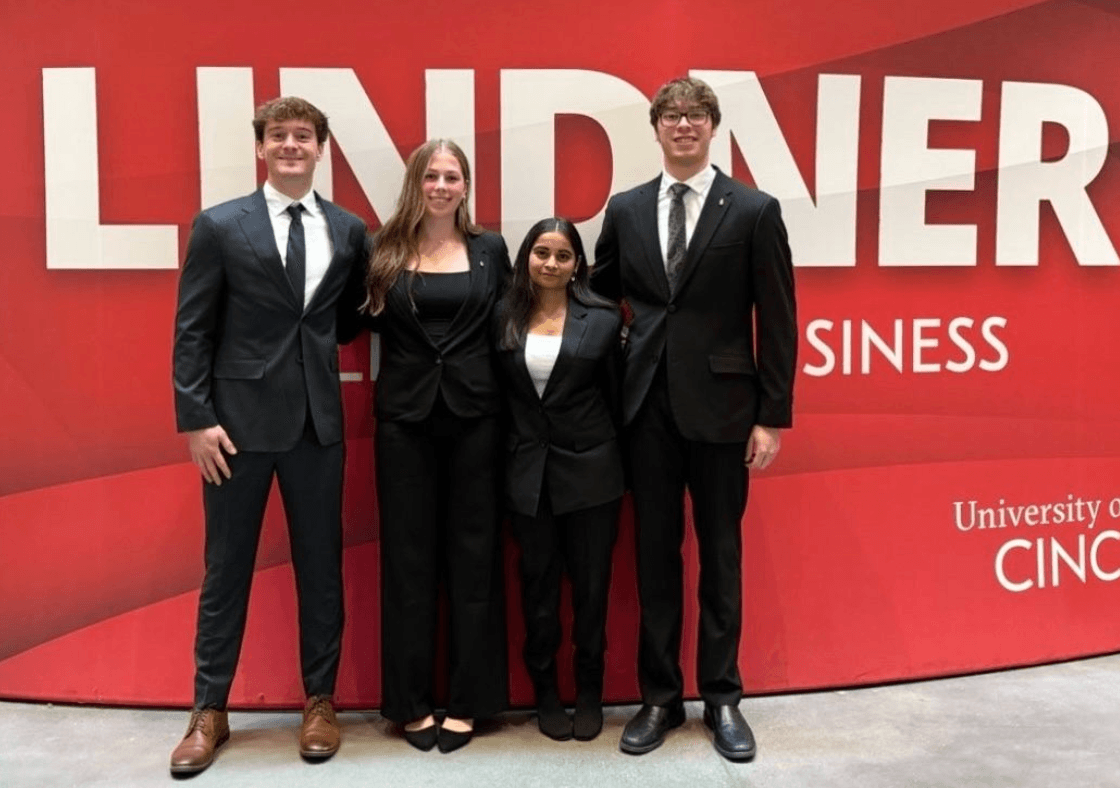
Highlighting: Jacob Gillotti
Jacob Gillotti is a Business Analytics major at the University of Cincinnati's Lindner College of Business, where he made the Dean's List. He's a member of Alpha Kappa Psi, one of the oldest professional business fraternities in the country. Jacob uses AI daily in his coursework and brings the kind of analytical thinking that helps campers turn ideas into real projects.
Camp 4R teaching assistants are University of Cincinnati students who use AI daily in their own coursework and projects. They're close enough in age to connect with your teen, but far enough ahead to guide them through real builds. Every TA is background-checked, trained on our curriculum, and selected for patience, clarity, and the ability to make hard things feel doable.
Built with safety from Day 1.
We designed Camp 4R so your student can explore AI freely — within clear guardrails. Here's how.
Private & Secure Tools
Students work in secure environments. Nothing they type or build is shared outside camp. No student data is stored after the session ends.
Learning, Not Shortcuts
We teach students to use AI as a thinking partner, not a shortcut. The rule is simple: AI helps you learn. You do the work.
Daily Ethics Training
Every single day includes a 30-minute session on bias, privacy, misinformation, and when to say no to AI. This is core curriculum, not optional.
Code of Conduct
Every student signs a code of conduct on Day 1. It sets clear expectations for responsible use — and students help define the rules.
What they'll do each day.
Five days. Five projects. One to take home and show the world.
Build a Music App
Use AI to create something people will actually listen to.
Lesson
- •How AI handles creative content (text, audio, generation)
- •Prompting for creative output: mood, style, genre
- •The difference between generating and curating
Guided Lab
- •Build a browser app that uses AI to generate song lyrics
- •Add a "mood → playlist" feature (describe a feeling, get songs)
- •Prompt patterns for creative work: tone, examples, constraints
Ethics Block
- •"Who owns AI-generated music?" — copyright and creativity
- •When AI mimics artists: style vs. identity
Build Studio
- •Add a feature that makes it feel like a real product (save, share, remix)
- •Test with 3 different moods/genres to see where it breaks
Daily Ship List
- ✓A working music app with at least one live AI feature
- ✓A test playlist (3 songs or lyric sets) generated by your app
Build an Interactive Comic Book
AI + storytelling = something you can actually read and share.
Lesson
- •AI as a creative collaborator, not a replacement
- •Branching narratives: how "choose your own adventure" works
- •Prompt-chaining: using one AI output as input for the next
Guided Lab
- •Build a multi-panel comic where AI generates dialogue and descriptions
- •Add at least one branching choice — readers pick what happens next
- •Use AI to generate character descriptions, then render them consistently
Ethics Block
- •Bias in AI art: who gets represented, who gets left out
- •Creative attribution: when to credit AI vs. claim the work as yours
Build Studio
- •Add 3+ panels with a real story arc (beginning, conflict, choice)
- •Make it shareable via a link
Daily Ship List
- ✓A comic with 3+ panels, AI-generated content, and at least one choice branch
- ✓A short "making of" note: what prompts worked, what didn't
Build a Video Game
AI as your game designer, enemy AI, and story writer.
Lesson
- •Game loops: what makes a game feel playable (input → feedback → reward)
- •AI as a game mechanic: NPCs, dialogue, adaptive difficulty
- •Scope control: what can you actually ship in one day?
Guided Lab
- •Build a simple browser game (quiz, platformer, word game, adventure)
- •Use AI to power one mechanic: enemy behavior, dialogue, or level generation
- •Playtest with a teammate and fix the first 3 bugs you find
Ethics Block
- •Addictive design patterns: "just one more" mechanics and dark patterns
- •What makes games healthy vs. manipulative for younger audiences
Build Studio
- •Add an AI-powered twist (adaptive difficulty, AI opponent, generated quests)
- •Make sure there's a clear win/lose state
Daily Ship List
- ✓A playable game with a clear win/lose state and one AI-powered feature
- ✓Playtest notes: what was fun, what was frustrating, what you'd add next
Build Whatever You Want
The only brief: it has to be real and it has to ship.
Lesson
- •Product thinking: define your user, problem, and success metric before writing a line
- •Scope vs. ambition: how to cut to the core idea
- •Pitch-first development: if you can't explain it in 60 seconds, you're not ready to build
Guided Lab
- •Students pitch their idea in 60 seconds before starting — instructors give feedback
- •Full free-build session with instructor check-ins every 30 minutes
- •Mid-session check-in: show progress at the halfway point, get one piece of feedback, adjust
Ethics Block
- •"Would you be comfortable if your parents could see exactly what this does?" — responsible launch checklist
- •Who could misuse this, and what would you do about it?
Build Studio
- •Full studio time — teams decide scope, divide work, and aim to demo by end of day
- •Document what you cut and why (scope decisions matter)
Daily Ship List
- ✓A working prototype of your own concept
- ✓A 1-sentence pitch: "This is [name], it helps [user] do [thing]."
Pick One. Polish It. Ship It.
Take your best project from the week and make it something to be proud of.
Morning
- •Choose your favorite project from Days 1–4
- •Polish session: fix the biggest pain point, clean up the UI, test edge cases
- •Rehearse your demo with your team — 2 minutes, no slides needed
Afternoon
- •Each team demos their chosen project: 2 min demo + 1 min Q&A
- •Peer vote for favorites (Most Creative, Most Useful, Most Surprising)
- •Instructor feedback + certificates
Daily Ship List
- ✓Final polished project at a live shareable link
- ✓Demo recording (screen capture)
- ✓Peer feedback notes + one thing you'd build next
They don't just learn.
They leave with proof.
Every student goes home with a portfolio they can show to anyone — colleges, parents, future employers.
Digital Certificates
Earn badges based on your contributions and achievements during the week.
Builder
Shipped a working prototype
Ethics Lead
Outstanding safety awareness
Agent Architect
Built autonomous workflows
Pitch Captain
Best demo presentation
Portfolio Bundle
At the end of camp, every student receives:
A Live Project
A working app hosted at a real URL. They built it. They can share it with anyone.
A Pitch Deck
A polished presentation explaining what they built and why. Great for college applications.
A Written Reflection
A one-page essay on what they built, what they learned, and what they'd improve.
Certificate of Completion
Signed by the instructor team.
Where camp happens.
We're hosted at Indian Hill Middle School — a brand-new campus with modern classrooms, open common spaces, outdoor areas for breaks, and a full café for daily lunch.
Real Classrooms
Purpose-built learning spaces with projectors, whiteboards, and room to spread out.
Room to Collaborate
Open common areas where teams brainstorm, debug, and build together between sessions.
Fresh Air Between Sessions
Green space and outdoor areas so your student isn't glued to a screen for 7 hours straight.
Lunch Is Handled
Full catered lunch plus morning and afternoon snacks every day. Allergy accommodations available.
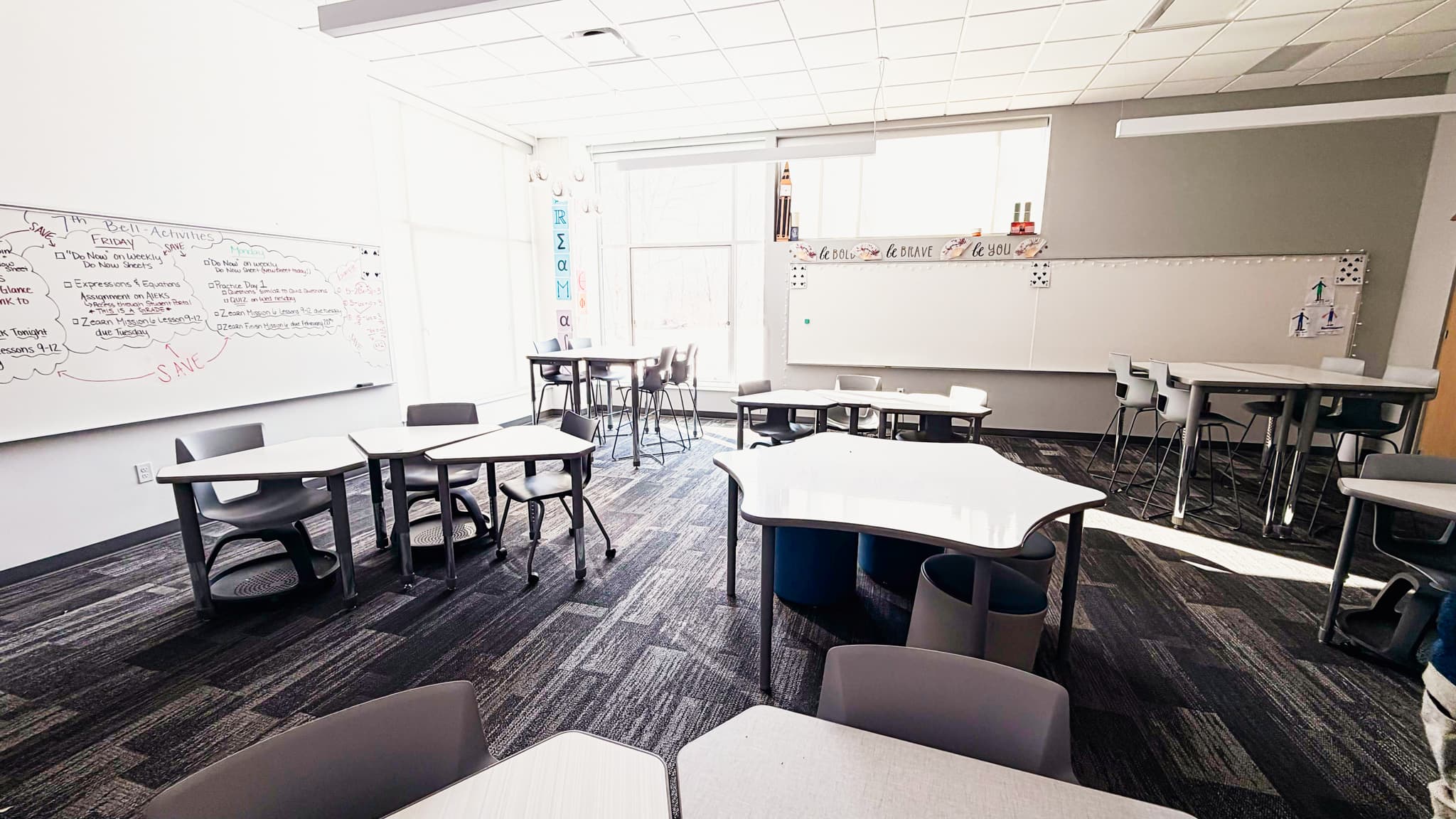
Real Classrooms — projectors, whiteboards, and room to spread out

Indian Hill Middle School
6855 Drake Rd · Cincinnati, OH 45243
One week that changes how they see technology.
Save $200 per week when you enroll before March 15, 2026.
Build with AI
July 13 – 17, 2026
- ✓For grades 7 to 12
- ✓Build with AI Curriculum
- ✓Daily Catered Lunch + Snacks
- ✓Chromebook + Software Access
- ✓Portfolio Bundle + Badges
- ✓Camp 4R Swag Pack
Questions about pricing? Email us at info@camp4r.com
Spots are limited to 25 campers per session.
Fill out the form below to reserve your student's spot. You'll receive a confirmation email with next steps within 24 hours.